CMMS Software
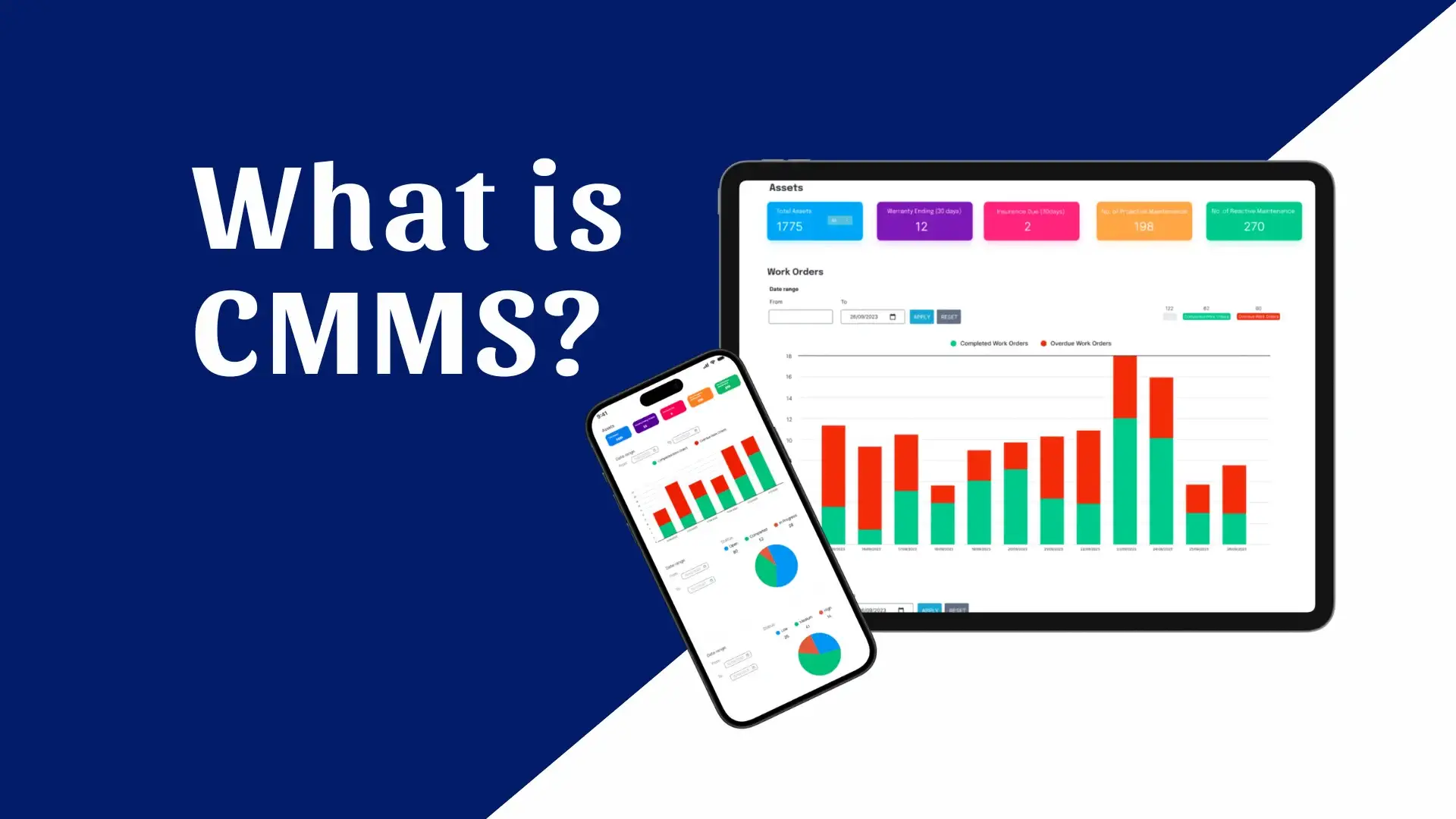
Proper maintenance of equipment, facilities, and machinery is a critical factor in the operation of a modern business. As the number of machines, facilities, and maintenance tasks increases, it becomes increasingly difficult to organize everything effectively using Excel, paper records, email, or verbal instructions.
This is where CMMS (Computerized Maintenance Management System) software comes in.
A CMMS is a centralized digital maintenance management system that enables a business to organize its assets and equipment, create and track maintenance tasks, schedule preventive inspections, manage spare parts, and maintain a comprehensive overview of each machine’s history.
In practice, a CMMS transforms maintenance from a process based on experience, memory, and scattered records into an organized, documented, and measurable process.
What is CMMS software?
The acronym CMMS is derived from the term “Computerized Maintenance Management System.“
This software consolidates information and processes related to equipment and facility maintenance into a single environment. Key functions of a CMMS include work order management, equipment and history logging, preventive maintenance scheduling, spare parts management, and performance indicator monitoring.
For example, instead of a maintenance technician having to search through different files:
- which machine malfunctioned,
- when the last repair was carried out,
- which technician undertook the job,
- which spare parts were used,
- when the next check-up should take place,
All this information can be linked to the same asset within the CMMS.
Simply put, a CMMS is the central hub where an enterprise’s entire maintenance operation is organized. It goes beyond merely logging breakdowns; it manages the complete lifecycle of a maintenance task—from reporting a problem and scheduling the work to completion, tracking spare parts, and building a maintenance history.
Why does a business need a CMMS?
In a small facility, it can be relatively easy to keep track of the machinery on site and the tasks that need to be performed. However, when dealing with dozens or hundreds of assets, various technicians, multiple facilities, and an extensive work history, manual management becomes difficult. The volume of data is not the only issue.
It is mainly that, without a central system, it is difficult for them to connect with one another:
machine → breakdown → work → technician → spare part → cost → history → next maintenance.
A CMMS establishes this connection and enables the business to maintain a unified maintenance record.
Why use a CMMS instead of Excel?
Excel can be useful for simple record-keeping, but it is not designed as a comprehensive maintenance management system. A CMMS can automate processes that would otherwise require manual tracking.
| Procedure | Excel / manual management | CMMS |
|---|---|---|
| Equipment inventory | Manual | Central asset registry |
| Maintenance work | Lists / files | Work orders |
| Preventive maintenance | Calendar / reminders | Automatic programming |
| Machine history | Scattered files | Unified history |
| Spare parts | Separate file | Linked to tasks |
| Assignment of tasks | Email / Phone | Roles and assignments |
| Cost monitoring | Manual | Recording by asset/task |
| References | Manual creation | Dashboards and reports |
| Working from a mobile phone | Limited | Mobile access, depending on the system |
The key difference is that a CMMS does not simply function as a “digital Excel.” It connects information and creates specific workflows.
How does a CMMS work?
The operation of a CMMS can be understood through a simple cycle. Let us assume an industrial facility has a motor that is experiencing a problem. An operator or employee creates a maintenance request. The request is converted into a work order. The maintenance manager assigns the task to a technician and sets a priority.
The technician performs the inspection and records:
- what problem was identified,
- what work was carried out,
- how much time it took,
- which spare parts were used,
- if additional work is required.
Upon completion, the work order is closed, and all information is stored in the specific asset’s history. Thus, the next time a similar problem arises, the technician or supervisor can see what happened in the past. This connection between assets, work orders, personnel, spare parts, and history forms the core of a CMMS.
What are the key functions of a CMMS?
A modern CMMS can include a range of functions, depending on the software and package a business uses.
1. Equipment and asset management
Each machine, installation, vehicle, or other piece of equipment may be recorded as a separate asset.
Information such as the following may be stored in his/her profile:
| Information | Example |
|---|---|
| Asset ID | PUMP-001 |
| Description | Water pump |
| Manufacturer | Manufacturer X |
| Model | Model 500 |
| Serial Number | SN123456 |
| Location | Production – Line 2 |
| Installation date | 10/05/2024 |
| Warranty | Until 10/05/2027 |
| Background | Repairs / Inspections / PM |
Thus, each asset acquires its own digital “file.”
2. Work Order Management
Work orders are one of the most important elements of a CMMS.
A task may be created due to:
- damage,
- preventive maintenance,
- inspection,
- security check,
- employee’s request,
- scheduled repair.
Each work order can include the assigned technician, priority, asset, required tasks, spare parts, labor time, photos, and the final report. This ensures traceability in maintenance operations.
3. Preventive maintenance
One of the key advantages of a CMMS is the ability to schedule preventive maintenance (PM). Instead of waiting for a machine to break down, a business can schedule maintenance tasks at specific time or operational intervals.
For example:
| Asset | Work | Frequency |
|---|---|---|
| Air conditioning unit | Filter cleaning | Every 3 months |
| Generator | Ceck | Every 6 months |
| Pump | Fertilization | Every 500 hours |
| Vehicle | Service | Every 10,000 km |
The CMMS can automatically generate the relevant tasks when the date or the preset operating limit is reached.
4. Spare parts and warehouse management
Maintenance is not just a matter for technicians. A problem can be delayed because the right spare part is not available.
A CMMS can track:
- available spare parts,
- quantities,
- storage location,
- consumption,
- minimum inventory levels,
- linking spare parts to specific assets.
Thus, when a job is created, the person in charge can determine whether the necessary materials are available. Managing MRO inventory and spare parts is a key function of modern CMMS systems.
5. Maintenance history
Each task can remain linked to the asset on which it was performed. Over time, a complete history is built up.
For example:
Machine A
| Date | Work | Τechnician | Cost |
|---|---|---|---|
| 12/02/2026 | Filter change | Technician A | €80 |
| 20/04/2026 | Engine check | Technician B | €120 |
| 15/07/2026 | Component replacement | Technician A | €350 |
| 10/09/2026 | Preventive screening | Level C Technician | €90 |
This history is particularly useful when the business wants to examine the frequency of breakdowns or the total maintenance cost of a piece of equipment.
6. Reports and KPIs
A CMMS can aggregate maintenance data and convert it into measurable indicators. Examples of what can be monitored include:
| KPI | What it shows |
|---|---|
| MTTR | Average repair time |
| MTBF | Mean time between failures |
| PM Compliance | Preventive maintenance on-time completion rate |
| Maintenance Cost | Maintenance cost |
| Open Work Orders | Pending tasks |
| Downtime | Downtime |
| Parts Consumption | Spare parts consumption |
These indicators enable the maintenance manager to move from simple recording to analyzing maintenance performance.
What are the key benefits of a CMMS?
Why does it reduce the time lost on administration?
Without a CMMS, a significant portion of the work can involve searching for information: who undertook a task, which spare part was used, when the last service was performed, or which tasks are pending. With a centralized system, this information is located within the same environment.
This helps the maintenance team focus more on maintenance itself and less on document and information management.
Why does it help reduce unplanned breakdowns?
A CMMS does not “eliminate” breakdowns, nor can it predict every failure on its own. However, it can better organize preventive maintenance.
When tasks such as inspections, filter changes, lubrication, and periodic checks are systematically scheduled, the likelihood of them being overlooked due to human error or a lack of reminders is reduced.
Why does it help with decision-making?
In the absence of historical data, a decision regarding a machine may be based primarily on experience. With a CMMS, data is available regarding:
breakdowns → frequency → cost → spare parts → repair time → downtime.
This allows for a more well-founded assessment of whether a piece of equipment requires repair, more frequent maintenance, or replacement.
CMMS and Preventive vs. Corrective Maintenance
A CMMS can support different maintenance strategies.
| Type | What does it mean? | Example |
|---|---|---|
| Corrective Maintenance | Action following the occurrence of a problem | Repair of a damaged engine |
| Preventive Maintenance | Scheduled maintenance prior to failure | Service every 6 months |
| Predictive Maintenance | Data-driven/condition-based maintenance | Sensor-based intervention |
| Inspection | Status check | Machine safety check |
A CMMS primarily serves as the system for organizing and documenting the process. In more advanced installations, it can integrate with IoT sensors and other operational systems, allowing status data to be utilized in maintenance procedures.
How is CMMS connected to ERP?
CMMS and ERP systems serve different primary roles. An ERP system can manage business processes such as finance, procurement, sales, inventory, and supplier management. A CMMS focuses on maintenance and asset management. In a well-organized facility, the two systems can work together.
| CMMS | ERP |
|---|---|
| Work orders | Supplies |
| Asset maintenance | Financials |
| Preventive maintenance | Warehouse |
| Maintenance history | Pricing |
| Technical works | Suppliers |
| Maintenance KPIs | Financial reports |
For example, when a CMMS records the need for a spare part, the relevant process can be linked to the ERP system for procurement or inventory tracking. IBM also notes that modern CMMS solutions can interface with ERP, IoT, SCADA, MES, and other systems.
CMMS, EAM, and ERP: What is the difference?
The terms CMMS and EAM are often used interchangeably, yet they do not have exactly the same scope.
| System | Main focus |
|---|---|
| CMMS | Maintenance and operations management |
| EAM | Broader asset lifecycle management |
| ERP | Overall operational management |
CMMS focuses primarily on maintenance. EAM (Enterprise Asset Management) takes a broader approach and can cover an asset’s lifecycle—from acquisition and installation to operation, maintenance, and decommissioning.
For which businesses is a CMMS useful?
A CMMS can be used in any environment where there are significant assets requiring systematic maintenance.
By way of example:
- industrial facilities,
- hotels and tourism facilities,
- hospitals and healthcare facilities,
- warehousing and logistics,
- facility management companies,
- vehicle fleets,
- energy facilities,
- commercial and professional buildings.
The World Health Organization, for example, describes the use of CMMS in the healthcare sector for managing medical equipment, preventive and corrective maintenance, spare parts, service contracts, and related notifications.
How to choose CMMS software?
Choosing a CMMS should not be based solely on the number of available features. What matters is that the software can support the way the business actually operates.
1. Document today’s process.
Before selecting a CMMS, it is useful to document how maintenance is currently performed. How is a breakdown reported? How is it assigned? How does the person in charge know which tasks are pending? How are spare parts recorded? Where is the history kept?
The answers to these questions indicate which problems the new system must solve.
2. Check the basic functions
A CMMS should be evaluated based on the actual needs of the business.
| Operation | What needs to be examined |
|---|---|
| Assets | How many assets does it support, and how are they organized? |
| Work Orders | Creation, assignment, priorities, and statuses |
| Preventive Maintenance | Scheduling and recurring tasks |
| Inventory | Spare parts and stock levels |
| Mobile | Use by field technicians |
| Reporting | KPIs and custom reports |
| Integrations | ERP, IoT, API, and other systems |
| Permissions | User roles and permissions |
| Multi-site | Multi-installation support |
| Data | Data export and ownership |
3. Examine user adoption
Even a technically advanced CMMS will not deliver results if technicians do not use it correctly. The interface must be practical and user-friendly, especially for workers logging tasks via mobile phone or tablet.
How is a CMMS installed?
The success of a CMMS depends to a large extent on the organization of its implementation. A typical process may include:
Asset inventory → data entry → workflow creation → preventive maintenance definition → user training → pilot operation → full implementation.
It is not necessary to migrate all data at once. In many cases, it is preferable for the business to start with a specific department or facility, test the process, and then expand its use. As part of the implementation, IBM also recommends user training and the measurement of metrics such as uptime, MTTR, and maintenance costs.
What should a modern CMMS include?
A modern maintenance management system can serve as a central platform for:
| Region | Operation |
|---|---|
| Maintenance | Scheduling and execution of maintenance |
| Assets | Equipment inventory and history |
| Work Orders | Task management |
| Inventory | Spare parts and materials |
| Technicians | Task assignment and monitoring |
| Documents | Manuals, files, and instructions |
| Notifications | Reminders and alerts |
| Analytics | KPIs and reports |
| Mobile | Fieldwork |
| Integrations | ERP, IoT, and other systems |
Available features vary significantly depending on the provider, the product, and the service package; therefore, it is important to check the actual capabilities before making a choice.
What problems can a CMMS solve?
A CMMS can address many of the daily problems that arise when maintenance relies on manual processes. For example:
“When was the last service performed?” → Search the asset’s history.
“What tasks need to be done this week?” → Checking scheduled work orders.
“Which spare part was used last time?” → Search the job history.
“Which machines most frequently experience problems?” → Analysis of maintenance records and KPIs.
“How much does the maintenance of this specific equipment cost us?” → Aggregation of labor and spare parts costs per asset.
This is one of the most significant advantages of a CMMS: information does not merely remain stored but is linked to maintenance operations.
How important is mobile CMMS?
Technicians do not usually work in front of a computer all day. They might be located at a different point within a facility—at a machine, in a warehouse, or in another part of a building. For this reason, mobile access can be particularly important.
Depending on the system, the technician can:
accept the job → navigate to the asset → view the instructions → log the work → add photos → list spare parts → close the work order.
Thus, data is recorded at the moment the work is performed, rather than being transferred later from paper or notes to the central system.
CMMS and IoT: The next step in maintenance
Modern CMMS solutions can form part of a broader technology ecosystem. IoT sensors can collect data on equipment operation, while other systems can transmit information to the CMMS.
For example:
Sensor → operational data → status detection → maintenance workflow → work order → technician → repair → history.
IBM highlights the integration of modern CMMS with technologies such as IoT, SCADA, and MES, noting that predictive maintenance can leverage condition data to support maintenance decisions. It is important to distinguish the CMMS from the prediction mechanism itself; the presence of a CMMS does not automatically mean that a system is capable of predicting failures.
Frequently Asked Questions about CMMS Software
CMMS stands for Computerized Maintenance Management System. It is software that centralizes the management of assets, work orders, preventive maintenance, spare parts, and maintenance history into a single system.
A CMMS helps a business record its equipment, create and assign maintenance tasks, schedule preventive inspections, track spare parts, and analyze maintenance data.
No. A CMMS focuses primarily on maintenance and assets, whereas an ERP covers broader business operations. However, the two systems can be integrated.
Yes. Preventive maintenance scheduling is a core function of CMMS. Tasks can be scheduled based on dates, time intervals, or—in systems that support this feature—usage or operational counters.
Many modern CMMS solutions feature a mobile app or mobile interface, allowing technicians to view and update tasks from the field. This specific functionality varies depending on the software and the package.
Yes. Managing MRO inventory and spare parts is a key function of many CMMS systems. It allows for the tracking of quantities and consumption, as well as the linking of spare parts to specific tasks or assets.
A CMMS can be used in industries, hotels, hospitals, logistics, facility management, energy facilities, and vehicle fleets, and generally in businesses that manage equipment or facilities.
Yes. Many modern systems support integrations or APIs that allow for connection with ERPs, inventory systems, IoT, SCADA, MES, and other business platforms.
CMMS focuses primarily on the maintenance of operational assets. EAM has a broader scope and can cover an asset’s entire lifecycle, from acquisition to operation, maintenance, and decommissioning.
It depends on the complexity of the maintenance operations. A business with few assets and minimal tasks may not require a complex system. Conversely, when there is a large number of machines, repetitive tasks, multiple technicians, or a need for a detailed maintenance history, a CMMS can offer significant organizational value.
Conclusion
CMMS software serves as a tool for transitioning from fragmented, manual maintenance management to an organized digital process.
By recording assets, managing work orders, scheduling preventive maintenance, tracking spare parts, and building a history, a business gains a better overview of the status of its equipment.
However, the most important thing is not simply the installation of software.
Real value is created when the CMMS is integrated into the daily maintenance process and used systematically by the people who perform, manage, and evaluate the work.
From a simple work order to integration with ERP, inventory, IoT, and analytics, a modern CMMS can serve as the central infrastructure around which a company’s maintenance operations are organized.